The Home Dash kit list
Every piece of hardware, every service, every integration and every tool behind our house dashboard, in one long list.

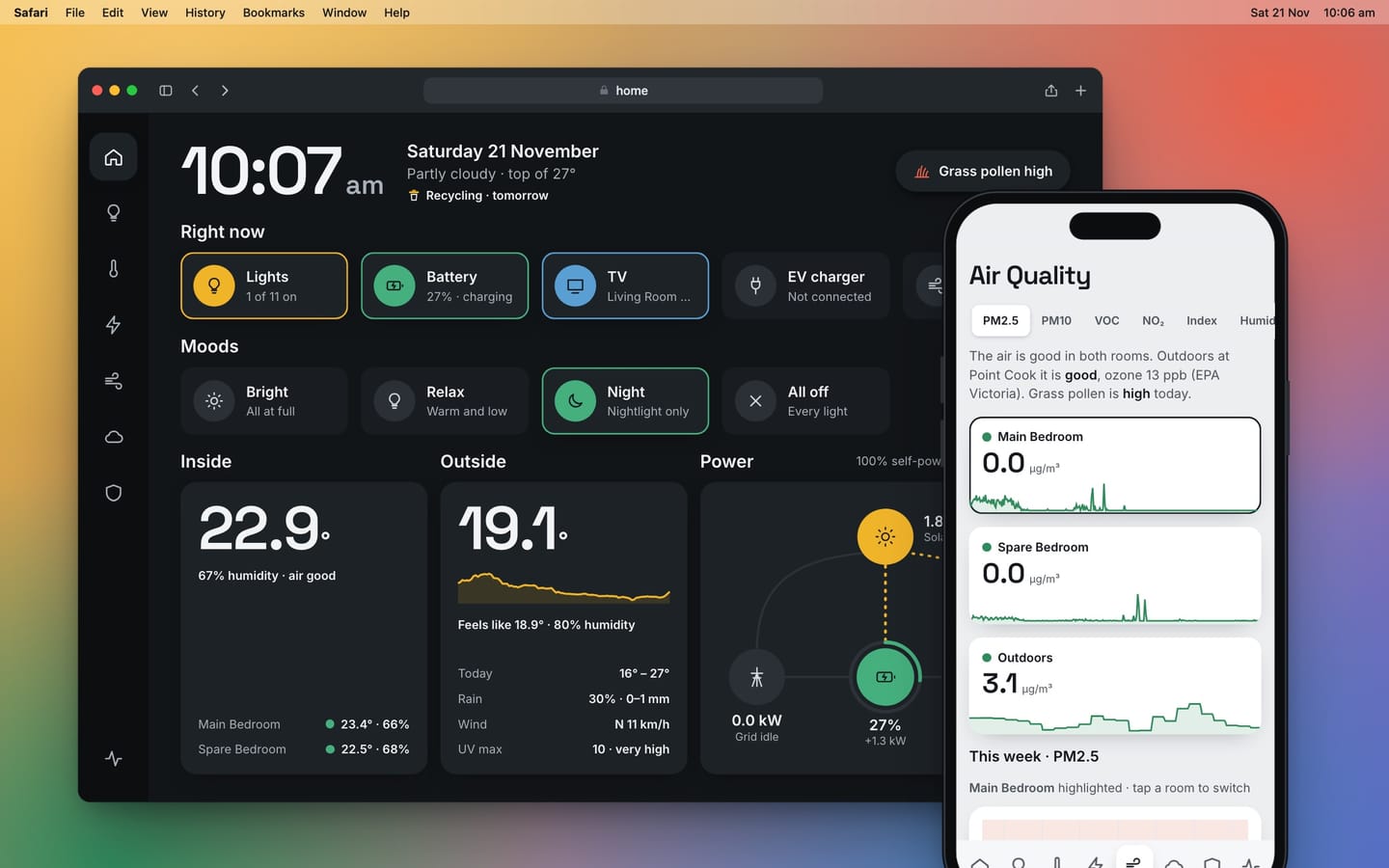
Part of the Home Dash series in The House Project. This is the reference page, the full list of what's in the house and what the dashboard is made of. Last updated 21 November 2026.
People ask what's actually running all this. The other articles tell the stories. This one is the list, with every piece of hardware, every service and every tool in one place.
It's long on purpose. Skip to the part you care about.

The computer in the middle
Everything reports to one small computer. It has no screen and no keyboard and it sits on a network cable.
| What | What it is | What it does here |
|---|---|---|
| Raspberry Pi 4 | A credit-card sized computer | Runs the whole house. It's the only always-on machine |
| Home Assistant OS | The operating system made for Home Assistant | Keeps Home Assistant running, updated and backed up. It holds two copies of itself, so a bad update can be rolled back |
| Home Assistant | Open source home automation software | Connects to every device, keeps the history, runs the rules and checks who's allowed in |
| HACS | The community store for Home Assistant | Where the integrations that aren't built in come from |
Four small apps run beside Home Assistant on the Pi.
| App | What it's for |
|---|---|
| Cloudflared | The tunnel that lets us in from outside the house |
| NGINX proxy | Secure connections to the Pi from inside the house |
| Let's Encrypt | Renews the certificate that makes those connections secure |
| Advanced SSH and Web Terminal | File access, which is how each new version of the dashboard gets installed |
History is kept in detail for five days and as hourly figures after that. That keeps the Pi's storage small and the charts fast.
Energy
This is the biggest part of the house and the reason the dashboard exists.
| What | Detail | Notes |
|---|---|---|
| Solar panels | 25 Jinko Tiger Neo panels of 475 W, 11.875 kW in all | 13 face west-south-west and 12 face east-north-east, on a 25° roof |
| Inverter | Sigenergy SigenStor EC 12.0, 12 kW | The panels come in as two strings, one per side of the roof |
| Battery | Sigenergy, 48 kWh | It runs itself in Sigenergy's AI mode. The dashboard only reads from it |
| EV charger | Sigenergy AC charger | Shows on the dashboard when a car is plugged in and what it's drawing |
| Retailer | Amber Electric | Wholesale prices that change every five minutes, for buying and for selling |
| Solar forecast | Solcast, free plan | Two rooftop sites, one per side of the roof, refreshed five times a day |

The story of the forecast and the roof is in its own article.
Air and weather
| What | Detail | What it gives the dashboard |
|---|---|---|
| Purifier fans | Two Dyson purifier fans, one in each bedroom | Indoor temperature, humidity, PM2.5, PM10, VOC and nitrogen dioxide. They're the only indoor sensors we have |
| Outdoor air | EPA Victoria, the nearest monitoring station | Measured air quality outside, which is the only source used for today's outdoor air |
| Pollen | AirHealth | Three-day forecasts for grass pollen and other allergens for our suburb |
| Thunderstorm asthma | VicEmergency | The risk forecast for our district, today and the days ahead |
| Weather | Bureau of Meteorology | Observations, the forecast and warnings |
| Pressure and cloud | Met.no | Fills in two readings the Bureau's feed doesn't carry |

Why there are this many sources and which one wins is in Pollen, storms and the air outside.

Lights, sound and screens
| What | Detail | Notes |
|---|---|---|
| Lamps | Eight LIFX bulbs. Five Mini Colour, two A19 and one Colour 1000 | Bedside lamps and floor lamps around the house |
| Light strips | Three LIFX Z strips | Two in the garage and a nightlight |
| Soundbar | Sonos Arc | Under the TV in the living room |
| Speakers | Sonos Playbase, Play:1 and Move | The Move is the one that wanders |
| Screens | A Mac, iPhones and a tablet | The same app on all of them. Nothing is installed |

The lights need no hub. Each one is on the wifi and Home Assistant talks to it directly.
The small feeds
| What | Where it comes from | What it shows |
|---|---|---|
| Bin night | Our council's collection calendar | Which bins go out, from two days before |
| Footy | TeamTracker | Essendon's next game and the score, in the week of the game |
| Sun | Built into Home Assistant | Sunrise and sunset, which also time the evening lamps |
Network and getting in
I'll keep this one general, for obvious reasons.
| What | Detail | Notes |
|---|---|---|
| Gateway and switching | UniFi | Smart devices sit on their own networks, away from the computers and phones |
| DNS | NextDNS | Filtering for the whole house, set once at the gateway |
| Remote access | Cloudflare Tunnel | No ports are open on the router. The Pi dials out and Cloudflare meets it |
How the tunnel works is in Getting to Home Dash from anywhere. The DNS detour is in Why my home DNS was answering from Adelaide.
Every integration
An integration is the piece of software that lets Home Assistant talk to one kind of device or service. Built in means it ships with Home Assistant. Community means a volunteer wrote it and it came from HACS.
| Integration | Kind | What it connects |
|---|---|---|
| Sigenergy | Community | Inverter, battery, both solar strings and the EV charger, read every ten seconds |
| Amber Electric | Built in | Buy and sell prices, now and ahead |
| Solcast PV Forecast | Community | The solar forecast |
| Bureau of Meteorology | Community | Weather observations, forecast and warnings |
| Met.no | Built in | Pressure and cloud cover |
| EPA Victoria Air Quality | Community | The outdoor air station |
| RESTful sensors | Built in | AirHealth pollen and VicEmergency asthma risk, each fetched from its public feed |
| Dyson | Community | Both purifier fans |
| LIFX | Built in | All eleven lights |
| Sonos | Built in | All four speakers |
| Waste Collection Schedule | Community | The council's bin calendar |
| TeamTracker | Community | Footy fixtures and scores |
| Threshold helpers | Built in | Three switches that decide when power counts as cheap, dear or worth selling |
| Certificate Expiry | Built in | Warns before the house's certificate runs out |
| Sun | Built in | Sunrise and sunset |
| Raspberry Pi and power checker | Built in | The Pi's own health, including a warning if its power supply sags |
| Backup | Built in | Home Assistant's own backups |
| HA-MCP | Community | Lets Claude Code read the house while we work on it |
Home Assistant has also found things I haven't added yet, including the Apple TVs, the HomePods and the UniFi gear itself.
The rules that run in the house
These live in Home Assistant, not in the dashboard. That way every screen agrees, because none of them is deciding anything.
| Rule | What it does |
|---|---|
| Evening lamps | Five lamps come on warm and low half an hour before sunset and go off at 10:30 pm |
| Ensuite nightlight | On at 7 pm and off at 9 am |
| Price spike | Raises a note when the power price spikes |
| Air stays poor | Raises a note when a bedroom's air has been poor for 15 minutes |
| Thunderstorm asthma | Raises a note when the risk is high today or tomorrow |
| Pollen refresh | Fetches the day's pollen forecast mid-morning, once it has been published |
| Certificate renewal | Renews the house's certificate once a week |
| History trim | Clears detailed history older than five days, overnight |
None of them touches the battery. Sigenergy's own software decides when to charge and when to sell.
The dashboard
Home Dash is its own app. It isn't a Home Assistant theme or a set of cards. Why that matters is in What's running Home Dash. This is what it's made of.
| Part | What's used | Notes |
|---|---|---|
| Pages | Plain JavaScript | No React and no Vue. Each page is built as HTML and CSS |
| Structure | One web component | The whole dashboard is a single custom element |
| Shell | TypeScript | Sign-in, the connection and the screen for when the house can't be reached |
| Charts | Hand-drawn SVG | No chart library |
| Live data | Home Assistant's WebSocket, through its official JavaScript library | One open connection. Nothing polls |
| Offline help | A service worker | Keeps a small page on each device that can say which link in the chain has failed |
| Typefaces | Inter and Space Grotesk | Stored on the Pi, so nothing is fetched from outside |
| Server | None of its own | The Pi serves the files and the browser does the rest |
| Size | About 200 KB | Smaller than most photos on a phone |
The workshop
| Job | Tool | Notes |
|---|---|---|
| Writing the code | Claude Code | I describe what I want and review what comes back. More in Building Home Dash with Claude Code |
| Building | esbuild and Vite | One command turns the source into the files the Pi serves |
| Looking before installing | A test mode on recorded data | A snapshot of the real house, so every design is seen before it goes near the wall |
| Testing | Node, headless Chrome and a stand-in Home Assistant | About sixty checks before each release |
| Releasing | A Python script over SSH | Copies the files, checks them and only then switches over |
| Going back | Kept versions on the Pi | The last few releases stay in place. Rolling back is one command |
| Source | GitHub | Private repositories for the dashboard and for this site |
| This site | Ghost | With a theme of its own for The House Project pages |
Coming next
In December the gas goes. New heating and cooling arrives with an AirTouch 5 controller and a heat pump takes over the hot water. Both will join this list once they're in and the Climate page will finally have something to control.
If I've left something out that you wanted to know about, ask. I'm happy to share.
The occasional email
A few times a year, when there's something worth saying.