The first of the Home Dash series at Château KavSmith, where the rest live. Last updated 19 November 2026.
This didn't start as a software project. It started with a battery.
How we got here
Earlier this year we put in a home battery to go with the solar on the roof. The plan was simple enough: stop sending cheap solar to the grid at lunchtime and buying it back at dinner. What I didn't expect was how quickly it would change the way I looked at the whole house. Once you can see power moving around in real time, you start asking where it's all going, and a fair bit of the answer for us was gas.
So the battery turned out to be step one of something bigger: getting the house off gas and onto electricity we mostly make ourselves. We're with Amber, which passes on the wholesale power price, and that price changes every half hour, so when we use power matters nearly as much as how much.
The next step is the big one, and it's all chosen. The heating and cooling is being replaced, with an AirTouch 5 to control it room by room. And the hot water is changing too: a heat pump is taking over from our old Rinnai system, which was solar with gas doing the boosting. It all goes in early December.
That's the part of the changeover I'm most looking forward to, and it's the reason there's a Climate page on the dashboard that's still half empty. It's waiting for the new gear to arrive.
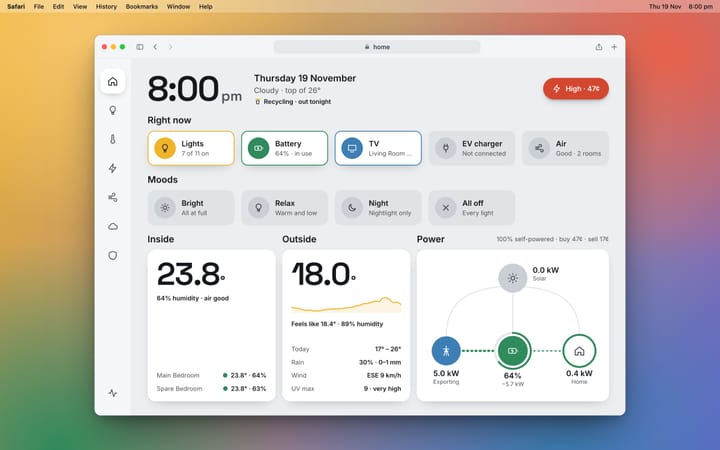
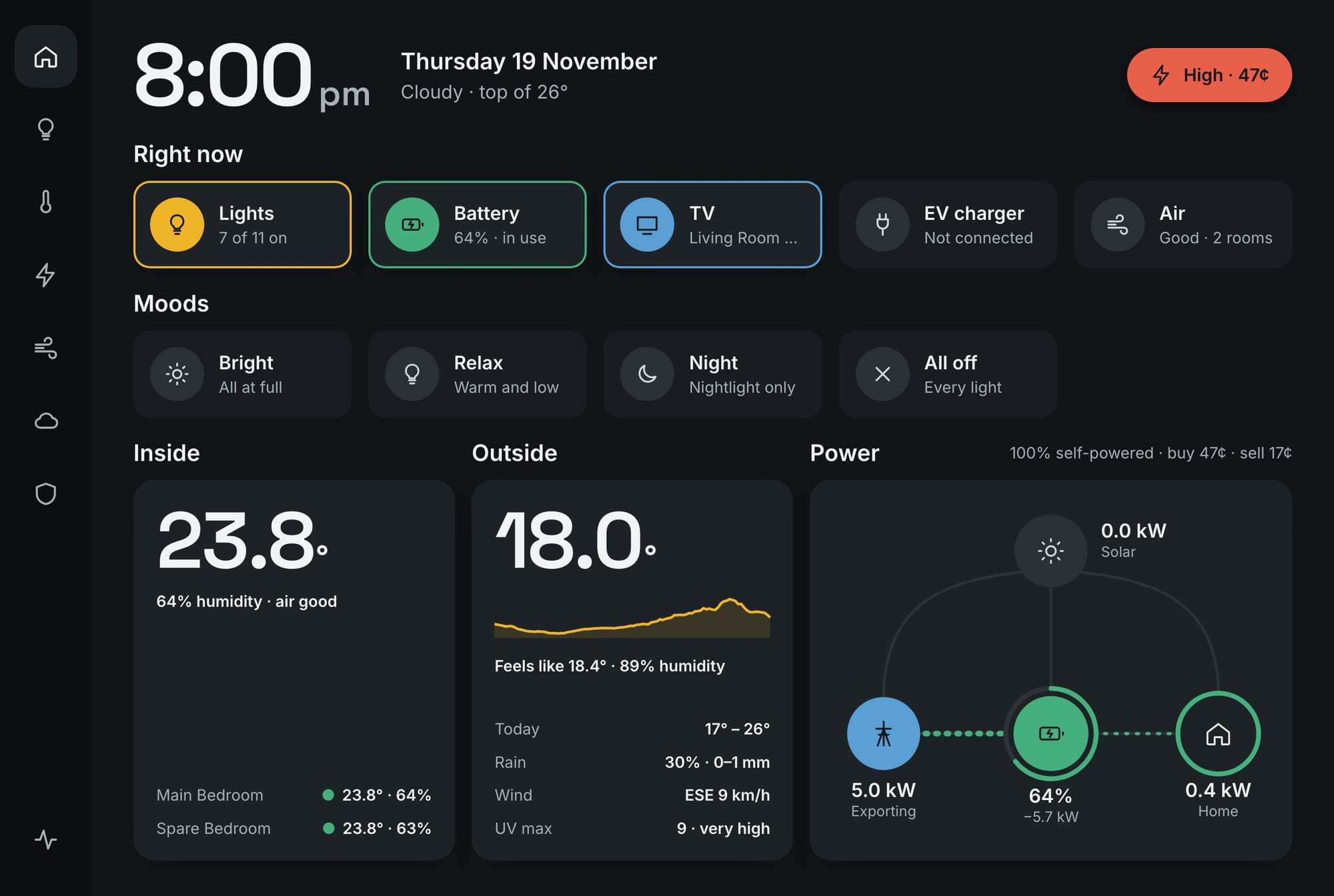
Somewhere in the middle of all that I wanted one screen on the wall that showed the lot. Not five apps. One screen.
The spark
I'd been running Home Assistant on a Raspberry Pi for a while, with the usual dashboard that looks like a spreadsheet had a fight with a toolbox. Then I came across Pinesdash, a dashboard someone built for their own house, and my jaw dropped. It was calm. It looked like something designed, not assembled. Tiles that sat quietly until something was on. Big numbers. Hardly any chrome.
I want to be clear about the credit here: the look and feel of what I've built is inspired by Pinesdash, and a good few of the ideas are borrowed straight from it. Mine is a different house with different gear (and different weather), but that project is why this one exists.
So I had a crack at my own. I built it with Claude Code. I'd describe what I wanted, look at a mock-up, say "yes" or "no, not like that", and only then did it go onto the real thing. The first version was running in a day. I've been fiddling with it ever since.
The design rules
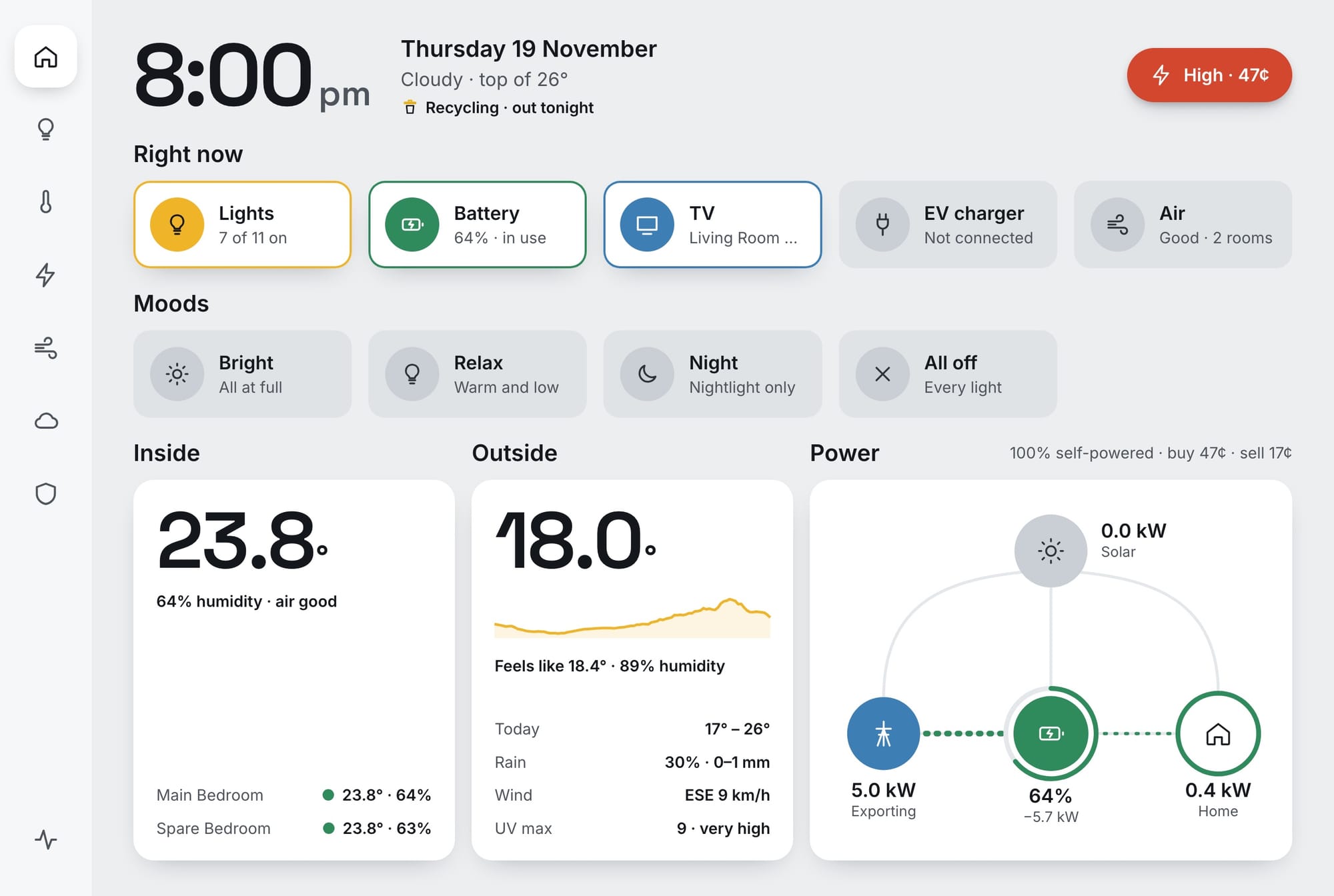
The thing I've enjoyed most is that it has rules, and the rules do most of the work. Things that are on light up; things that are off fade back. Every colour means one thing. The screen stays quiet unless something matters. And it shows what the battery is doing without trying to drive it.
I've written those up properly, along with the four times real life made me change my mind, in the design rules.
Energy
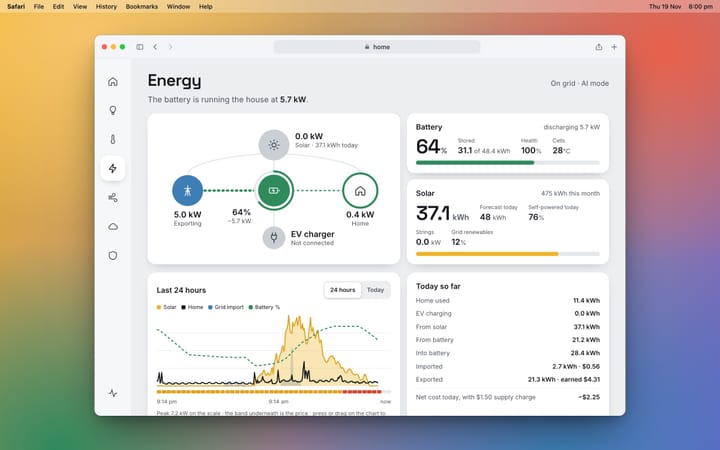
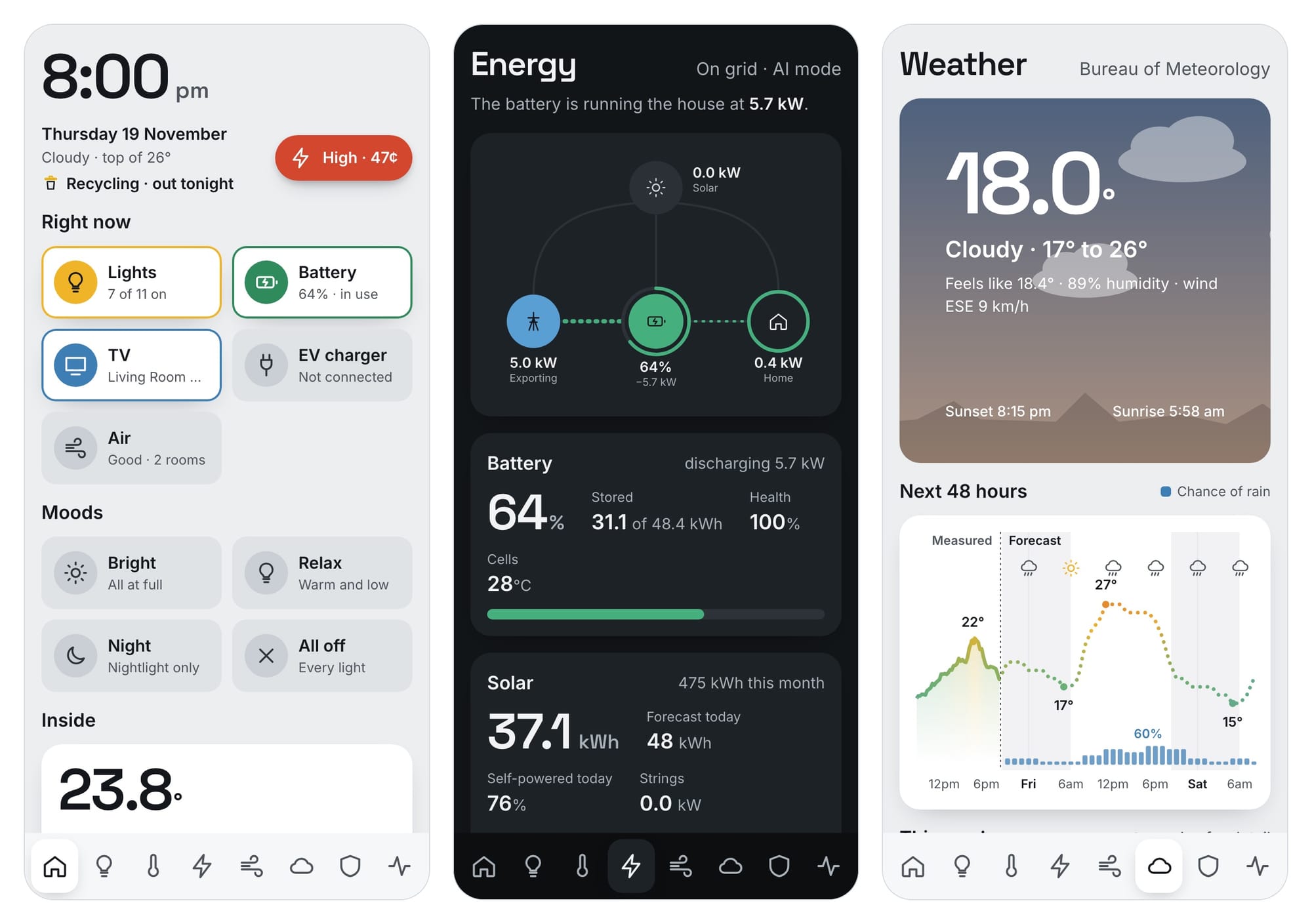
This is the page I look at most, and the one the battery made necessary. Solar at the top, the grid on the left, the battery in the middle, the house on the right, and the car charger hanging off the bottom. The dots move the way the power is moving, and they get fatter and faster as more goes through.
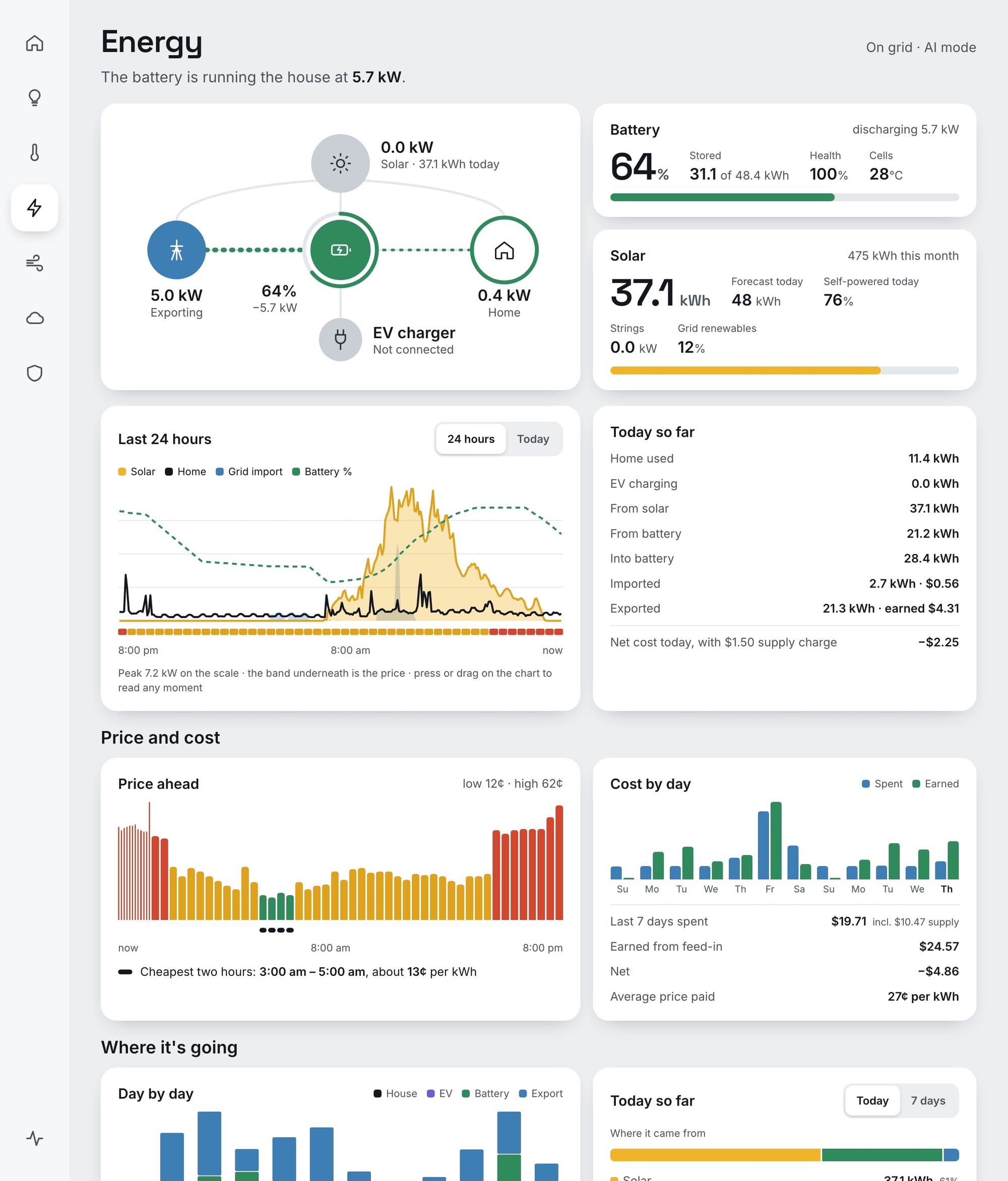
The coloured bars are Amber's prices for the day ahead, with the cheapest two hours marked so I know when to run the dishwasher. What counts as cheap is my call, not the retailer's, and there's a story behind that in the design rules.
Weather, air and the rest
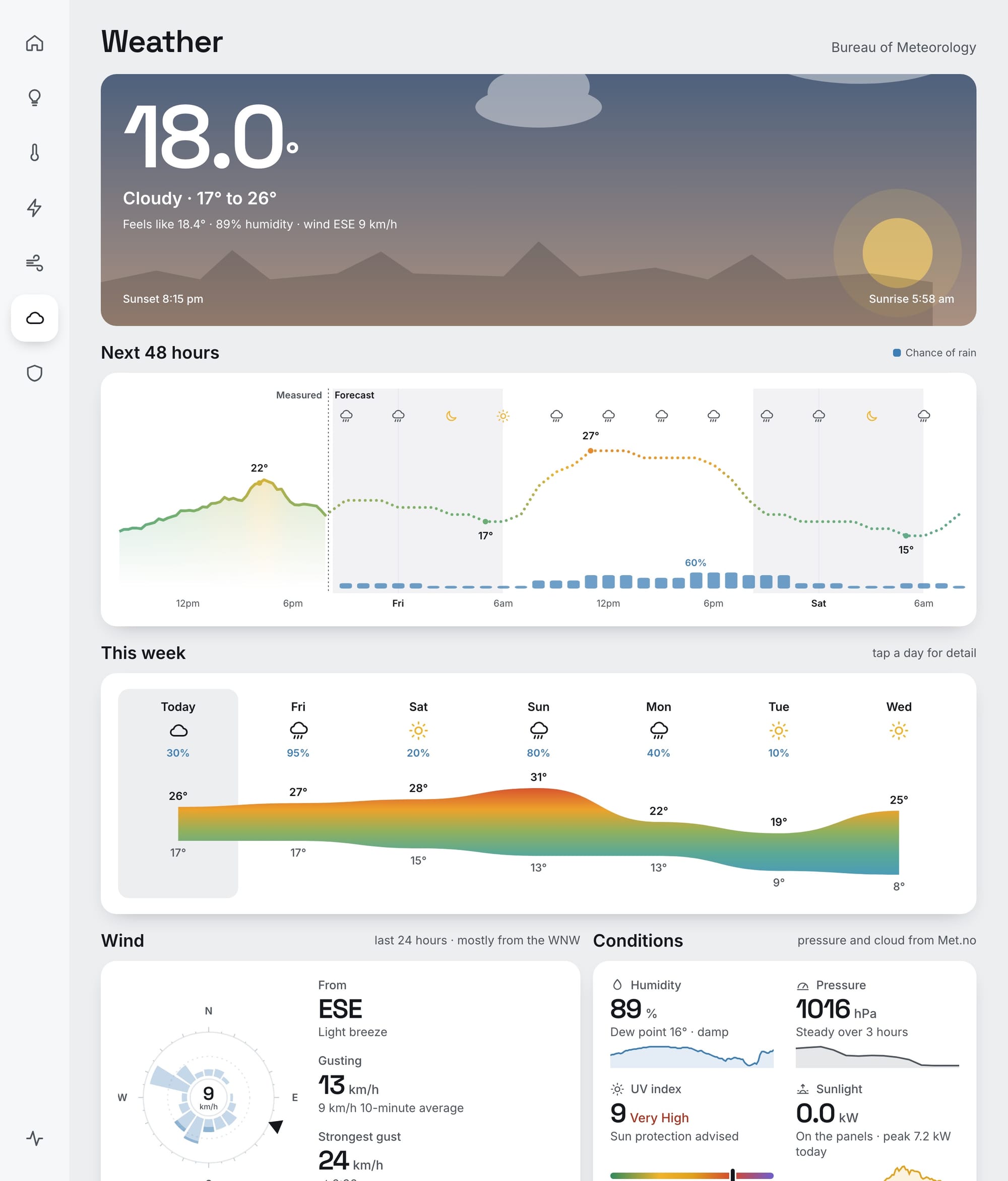
The weather page has a sky that follows the real sun, the next 48 hours on one line, and a wind rose showing where it's blown from over the last day. "Sunlight" on that page is just what the panels are making, because I don't own a light sensor and the roof already is one.
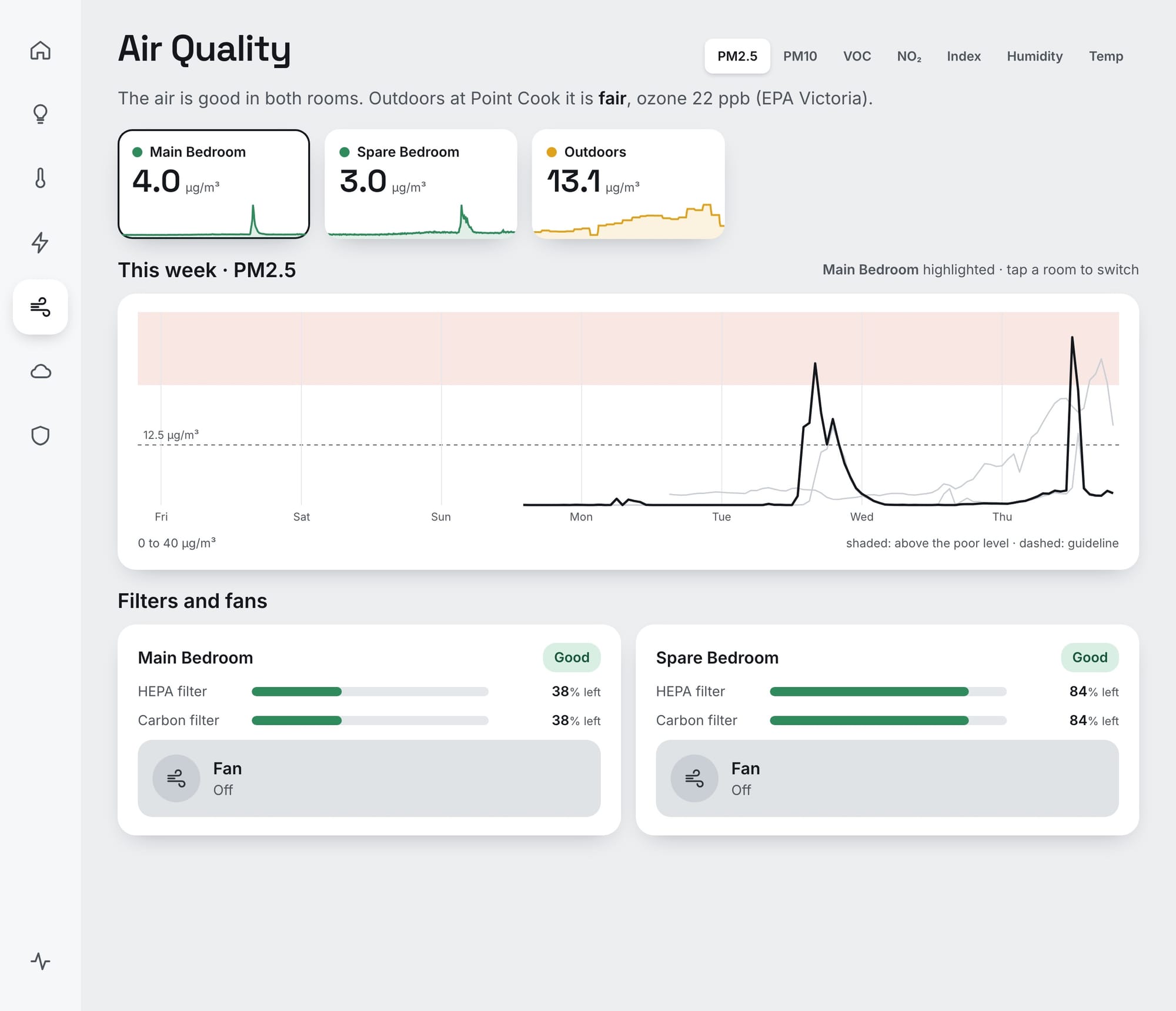
Air quality comes from two purifier fans in the bedrooms plus the EPA's outdoor station, each room judged against the health guideline drawn on the chart.
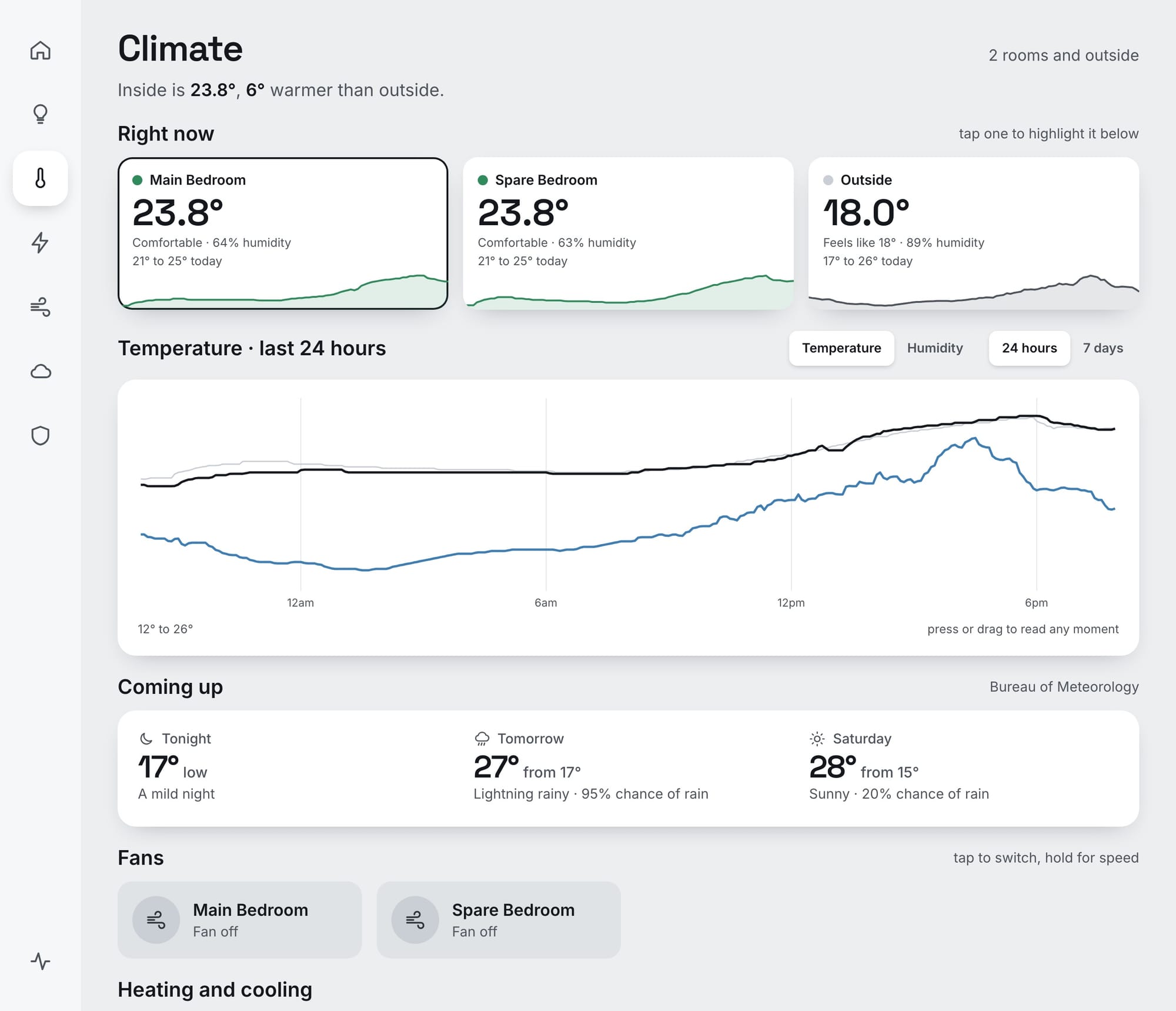
And Climate, which today is two bedroom temperatures and a forecast. This is the page with the most room to grow.
The small stuff
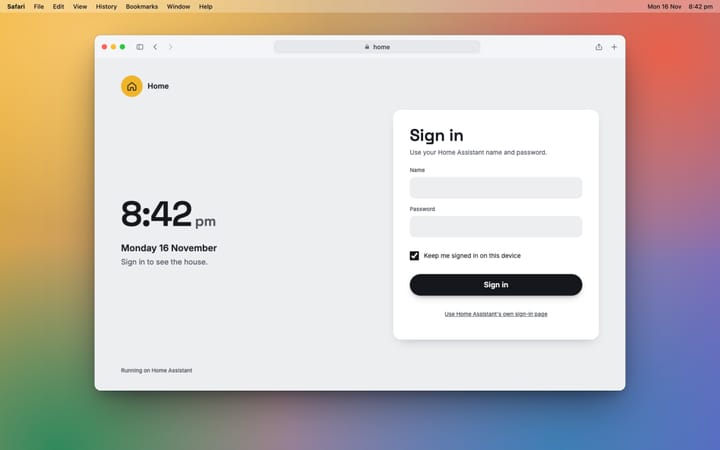
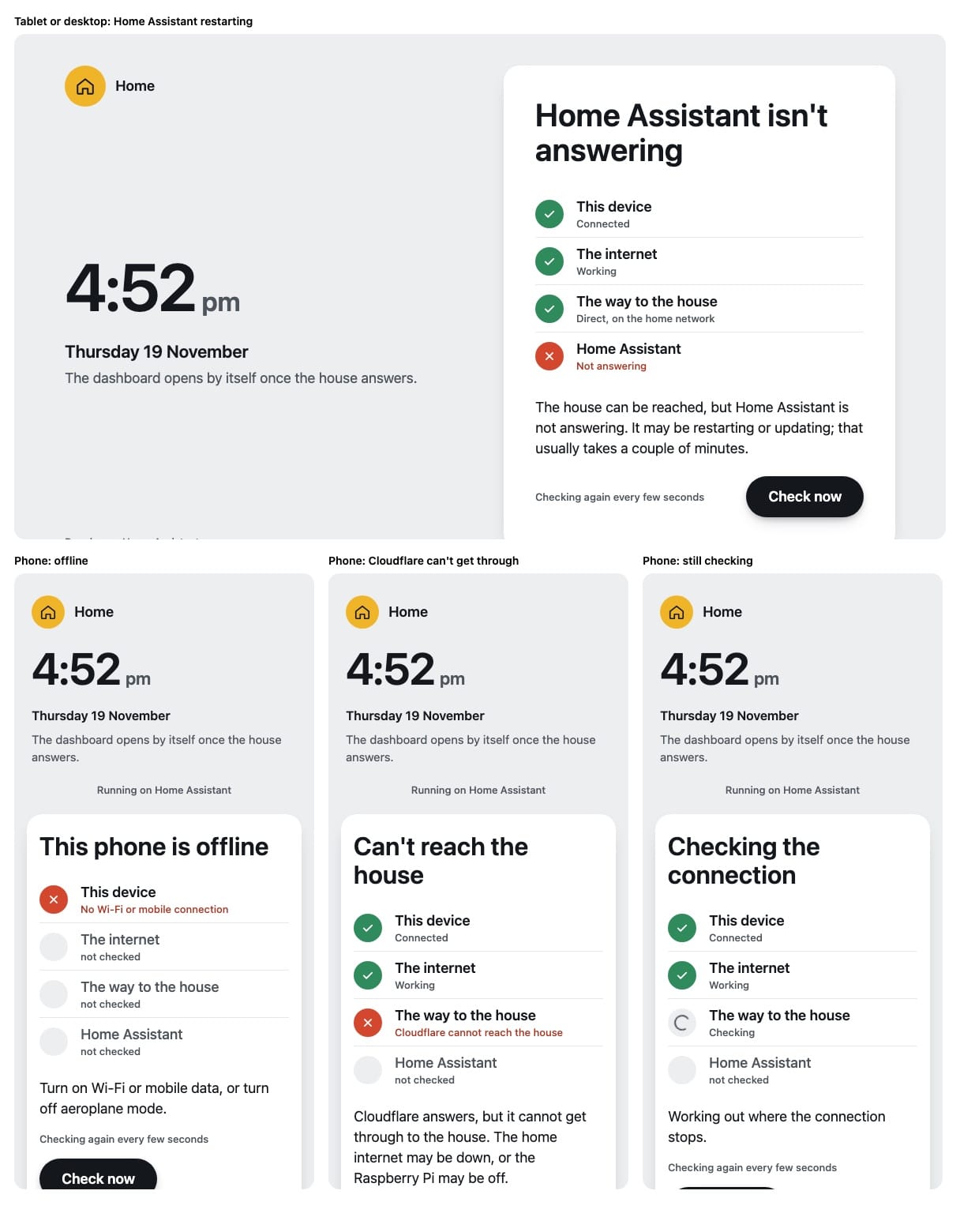
The bits that make me smile are the tiny ones. Bin night and the footy only turn up when they're close. And if the house can't be reached, it doesn't just spin: it checks each link in the chain and tells me which one is broken.
It works on the phone as well. Same thing, squeezed down, with the menu along the bottom.
For those who'll ask
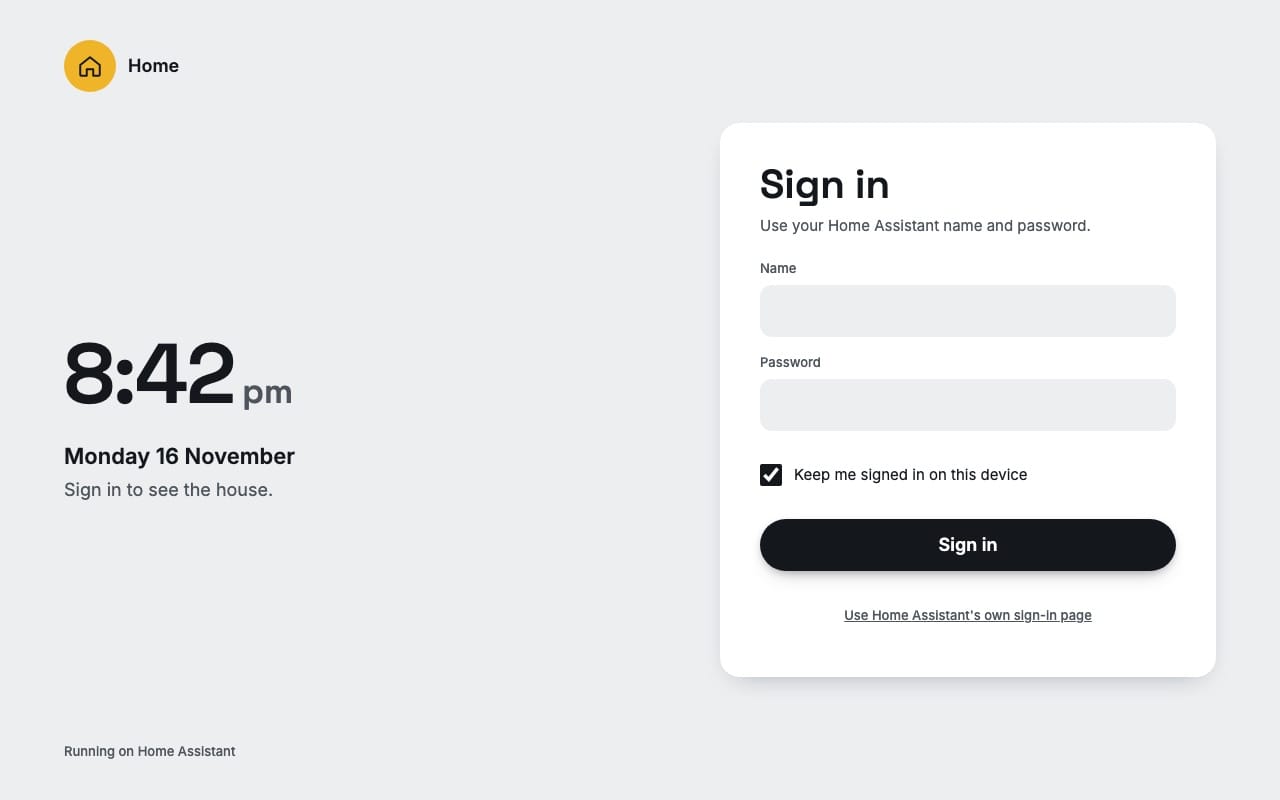
Short version: Home Assistant on a Raspberry Pi does the real work, and Home Dash is a separate little app that sits in front of it. It isn't a Home Assistant dashboard; it has its own sign-in, its own pages and its own code. The hardware, the software and a few diagrams are in what's running it.
What's next
- Early December: the install. New heating and cooling with the AirTouch 5, and the heat pump replacing the Rinnai solar and gas hot water. Once they're in, Climate gets real controls and I get to watch the house heat itself, and its water, on sunshine.
- Finishing the move off gas. Heating and hot water are the two big ones. I'll write up how the install goes, and what it does to the bills.
- The phone. Pinesdash now has a proper iPhone app wrapped around it. I'm thinking about the same.
The rest of the series, and what's coming, is at Château KavSmith.
More soon. If you're building something similar and want to compare notes, get in touch.