Part of the Home Dash series at Château KavSmith. Start with the story if you haven't. Last updated 19 November 2026.
A house dashboard that only works at home is half a dashboard. I wanted to check the battery from the office, and turn a lamp on from the airport. I also really didn't want to be the person who opened a hole in their router and ended up on a list somewhere.
This is how ours is set up, and why. I've left out the specifics, like addresses and exact settings, on purpose.
What I wanted
- One address, everywhere. The same link on the wall tablet, my phone at work, and a laptop overseas. No "home version" and "away version".
- No open ports. Nothing on the router pointing in at the Pi.
- A proper padlock. Real HTTPS, at home as well, with no certificate warnings to click past.
- Fast at home. Tapping a light in the lounge shouldn't go via another city.
- Still works when the internet doesn't. If the NBN is down, the wall should still run the house.
Away from home: the tunnel
The usual way to reach something at home is "port forwarding": you tell the router to let outside traffic in and pass it to a device. It works, and it means your house is answering the door to the entire internet.
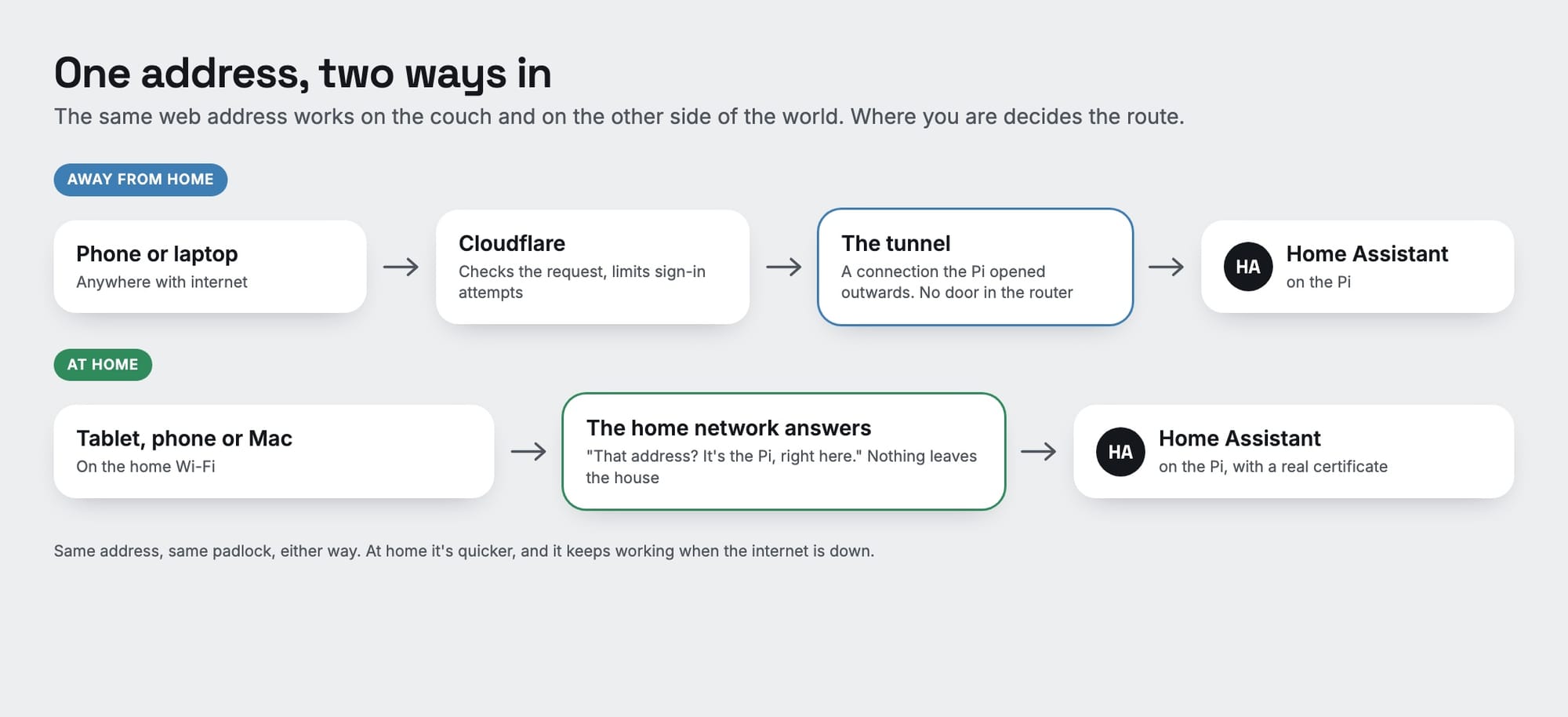
A Cloudflare Tunnel turns that around. A small app on the Pi makes an outgoing connection to Cloudflare and holds it open. When I open the dashboard from somewhere else, my request goes to Cloudflare, and Cloudflare passes it down the connection the Pi already made. The router never accepts an incoming connection, because there isn't one.
Setting it up was less work than I expected: a domain name with Cloudflare, the tunnel app installed on the Pi from Home Assistant's app store, and one setting in Home Assistant to tell it that requests arriving through the tunnel can be trusted to say where they really came from. The free tier covers it.
Being in front of the house, Cloudflare can also do some bouncer work. Ours limits how fast anyone can try to sign in, so guessing passwords at speed gets shut down before it reaches the Pi. Home Assistant has its own lockout behind that.
At home: the short way
If that were the whole setup, tapping a light on the couch would go out to Cloudflare and back. So at home, the network gives a different answer to "where is this address?": it's the Pi, right here. Devices on the Wi-Fi talk to it directly, and nothing leaves the house.
For that to work without browser warnings, the Pi has to hold a genuine certificate for the address. It gets one from Let's Encrypt and renews it by itself. So it's the same address and the same padlock on both routes, and no device has to know which one it's on.
The dashboard does know, though. Its System page says "Direct, on the home network" or "Through Cloudflare" for the device you're holding, which turned out to be the most useful line on that page.
Two things that tripped me up
The bouncer that turned everyone away. I set up the sign-in limit in Cloudflare and, without noticing, created it as the wrong kind of rule. Instead of "slow down anyone trying too fast", it said "block everyone who tries". Screens that were already signed in kept working, so nothing looked wrong for a day. Then a new sign-in failed with a vague "something went wrong". The clue was in Cloudflare's own log, which showed it doing exactly what I'd told it to. The lesson: after adding a security rule, test it from a device that isn't already signed in.
The Mac that took the long way round. My phone was quick at home. My Mac, on the same Wi-Fi, was going out through Cloudflare. It turns out a web address has more than one kind of record behind it. I'd overridden the main one at home, but Cloudflare also publishes a newer kind that Safari prefers, and that one still pointed outside. Overriding that too fixed it. I'd never have found it without that "which route am I on?" line.
What it doesn't do
- It isn't a VPN. Only the dashboard's web address goes through the tunnel. Nothing else in the house is reachable from outside, including the way new versions get installed, which only works from inside.
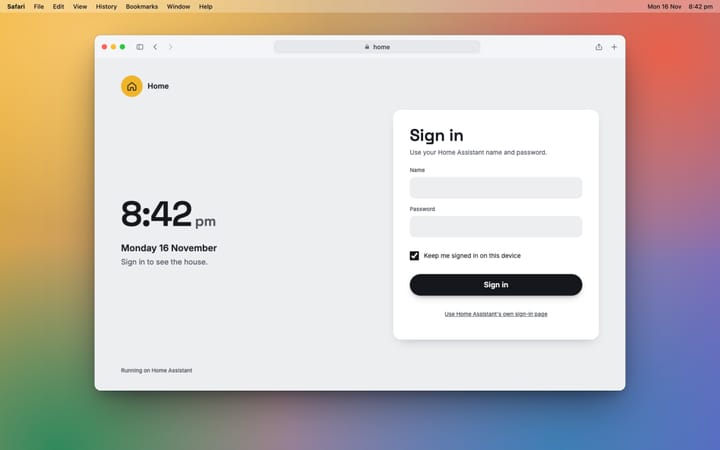
- It isn't the security. The tunnel gets a request to the door. Home Assistant still checks who you are, and the dashboard shows nothing about the house until you've signed in.
- It does depend on Cloudflare when you're away. If they have a bad day, so does remote access. At home, nothing changes.
And when a link in that chain does break, the dashboard checks each one in turn and says which. There's a picture of that in the story.